What Rased offers, sorted by what you need
This list is built from Rased's own feature register, so every new feature appears here by itself, in Arabic and in English.
New This tag marks every feature added in the last month.
Getting started
From your first sign-in you know the state of your devices in a single sentence, with a permanent Telegram menu that needs no typing and a guide that updates itself with every new feature.
Illustration with invented data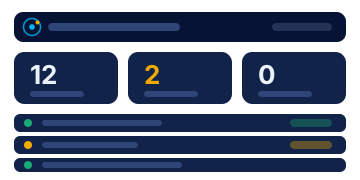
- Portal
My dashboard
See your devices, their status and what most needs your attention at a glance, with clickable indicators, a card for each device and a timeline of events.
- Portal
My account and details
Your personal details, photo and password. Rased uses them to address you by name and to greet you in your country’s dialect.
- Portal and TelegramNew
Usage guide
A guide built automatically from the current features of Rased, so it updates itself whenever a feature is added.
Monitoring and alerts
You know the state of every device as it changes, and each issue reaches you as one card that updates in place instead of a flood of repeated messages, with a morning summary and printable reports.
Illustration with invented data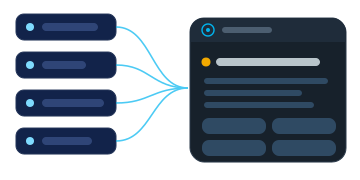
- Portal and Telegram
Devices
Every device with its status, metrics, services, hardware, connection and report.
- Portal and TelegramNew
Adding a device and installing the agent
Add a device, choose its operating system and version, then install the agent on it with a single command that is ready to copy.
- Portal and TelegramNew
Alerts: one card per issue
Each issue reaches you as a single card that updates in place, and related signals are merged into it instead of arriving as repeated messages.
- Portal and TelegramNew
Alert level
Choose what reaches your chat: all alerts, important only (the default), or critical only.
- Portal and TelegramNew
Daily summary
A morning summary at 8 am in your country's time zone, covering what happened and what is still open. It is not sent if nothing has happened.
- Telegram
Open issues
A short list of what is open on your devices right now.
- Portal and Telegram
Reports
Ready-made reports for a device and for the organisation (security, hardware, availability), which you can print or save as PDF.
Security
You see who is targeting your devices and from where, understand each vulnerability in plain language with the steps to fix it, have your logs analysed by AI once passwords are masked, and protect what matters with approvals and verification codes.
Illustration with invented data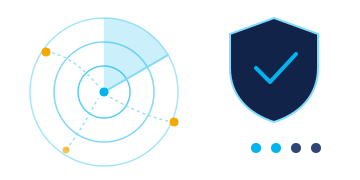
- Portal and TelegramNew
Attack sources
A live map (a globe or a flat map) that shows attacks as arcs from their source to the location of your device, with a replay of the last 24 hours, a live stream and a fictional simulation mode.
- Portal and Telegram
Security vulnerabilities
Known vulnerabilities that affect the software on your devices, with the suggested fix, and escalation of any that have no fix available.
- Telegram
Security and audit
A summary of your organisation's security and its most serious recommendations, with a “Test the fix” button for each recommendation.
- Portal and Telegram
Log analyser
Paste a log and the AI analyses it, after masking any passwords, then gives you the causes, the fixes and commands you can copy.
When you use the log analyser, a cleaned summary, after passwords and keys are masked, is sent to an AI analysis service run by an outside provider. We do not keep the raw log.
- PortalNew
Log analyser: my product is not listed
Type the name of the product or virtual platform and the assistant looks it up and shows what it found; the request reaches the platform manager, and you can upload your log straight away.
The product name you type is sent to an AI service run by an outside provider so that it can search for it.
- TelegramNew
Log reports in Telegram
When your log analysis finishes, you receive a card with its result, and you can see a list of your latest reports.
- Telegram
Approvals, delegates and PIN
Sensitive actions need your approval with a verification code, you can authorise a delegate to act on your behalf, and you can protect the chat with a PIN.
- PortalNew
Users and their applications on the device
The accounts on the device, each account's privileges, last sign-in and the applications installed for each user, with an alert when a new administrator or a new remote-control tool appears.
- Portal
File guard
Monitor folders you choose from any drive on the device (or an entire drive), and you receive a message when a file in them is deleted (file names only, never their contents).
Team and organisation
Link your chats to the platform with one tap, and give each person only the access they need.
Illustration with invented data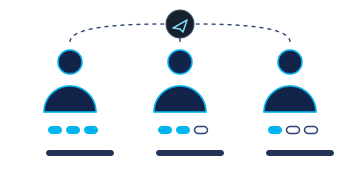
- Portal and Telegram
Link Telegram
Link your chat in one tap or by scanning a QR code, and control what you receive.
- Portal and Telegram
Team and permissions
Add users with read-only or read and write permission, restrict any of them, and send them a password link through Telegram.
Help and support
An AI assistant that answers questions about your devices and your most serious problems in your language, and technical support that sees nothing of your data without your approval, only for a limited time, with a report of everything it read.
Illustration with invented data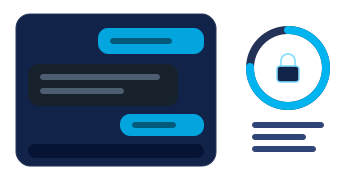
- Portal
Your AI assistant
A translucent side panel that answers questions about the state of your devices and your most serious issues, in your own language.
When you ask the assistant, your question and a short summary of your organisation's data are sent to an AI service run by an outside provider so that it can answer.
- Public websiteNew
The AI assistant on the public website
The assistant answers visitors to the public website about Rased from the site’s approved information only, in Arabic and English and, in Arabic, with a greeting in the visitor’s dialect when that dialect has an approved wording; if it has no answer, it refers them to the Rased team.
When you ask the assistant on the public website, your question, after email addresses and numbers are removed, is sent to an outside provider of an AI service so that it can answer.
- Portal and Telegram
Technical support access to your organisation
No one on the technical support team can see your data without your approval. Access is limited in time and is followed by a transparent report of everything that was read.
We found no service by that name. Write to the Rased team and we will answer.
Ready to link your first device?
Access is by request: the Rased team reviews it and the platform manager approves it.